Ecommerce9 min read
Shopify Theme Speed: Why Your Apps Are Slower Than Your Theme
The slow store buys a new theme; the weight was in the apps all along. A performance teardown — where storefront kilobytes actually live, the app audit that attributes them, leftover-code cleanup, and when custom code retires three subscriptions at once.
BurTech Solution
Engineering team

The ritual is familiar: the store feels slow, someone runs a speed test, the score disappoints — and the merchant goes theme shopping, because the theme is the thing with “fast” in its marketing. Three weeks and a redesign later, the score barely moved. It barely moved because on a typical established Shopify store, the theme was never the main weight: the apps were — a dozen subscriptions, each injecting its scripts into every page load, including the eight apps installed for one campaign in 2024 and never opened since.
This is the teardown: where storefront weight actually lives, how apps slow stores (and why uninstalling is not always enough), the audit that attributes every kilobyte to its owner, what the platform’s speed score does and does not mean, and the cleanup playbook — including the point where a few hours of custom code retires three subscriptions and their scripts for good.
Anatomy of a slow storefront
Break a product page’s load into its honest layers. The platform core — Shopify’s own infrastructure, CDN and checkout — is fast and not yours to tune. The theme contributes its CSS, JavaScript and Liquid rendering: a well-built modern theme is a modest, optimised baseline (and even a mediocre one is rarely the main offender on an established store). Images contribute what you upload: oversized, uncompressed hero images remain a self-inflicted classic, though the platform’s image pipeline absorbs much of the sin. And then the app layer: every installed app may inject scripts, stylesheets and embeds into your pages — review widgets, popups, trackers, bundles, chat bubbles, upsells — each one loading for every visitor on every page, mostly from third-party servers your store does not control, mostly built to load themselves first. Install twenty apps over three years and the arithmetic is what it is: the theme’s tuned kilobytes sit under a scrapyard of accumulated script weight — which is why the new theme so rarely fixes the feeling, and why the audit below starts with the apps and not the design.
How apps actually slow a store
Four mechanisms, in descending order of visibility. Script injection: most storefront apps add JavaScript to every page — the review widget’s bundle, the popup’s targeting logic, the tracker’s beacon — and each script costs download, parse and execution time on the visitor’s device, which is where mid-range phones on mobile networks feel every kilobyte. Render-blocking and thrash: badly-behaved scripts load early and synchronously, delaying the content paint; others inject widgets after render, shoving the layout around — the badge that pops in and moves the add-to-cart button is both a stability failure and a conversion hazard. Third-party dependency: app scripts serve from the vendor’s infrastructure, adding connection overhead per domain — and on the vendor’s bad day, their slowness becomes your storefront’s. The leftovers problem: apps granted theme access often write snippets directly into theme files, and uninstalling removes the subscription — not necessarily the code. Established stores routinely carry dead snippets from apps deleted years ago, loading assets or erroring quietly on every view. Uninstall is a billing event; cleanup is a separate, checkable task.
Measuring what matters (and what the score means)
The platform’s speed score is a blunt, homepage-weighted single number — useful as a trend line, useless as a diagnosis, and dangerous as an obsession. Diagnose instead on the pages where money moves — your top product page, collection page and cart — with the user-experienced web vitals: largest contentful paint (when the main content is visibly there — the “is it loading?” feeling), interaction responsiveness (does the tap respond — where script bloat hurts most), and layout stability (does the page hold still). Free lab tooling gives the waterfall; the field data in your search-console vitals report tells you what real visitors experience across real devices, which is the number search ranking actually consumes. Everything in our general speed checklist applies; the Shopify-specific move is the next section’s attribution — because on this platform, the waterfall’s third-party rows have monthly invoices attached, and that makes optimisation a procurement exercise as much as an engineering one.
The app audit: attribution with a spreadsheet
- Inventory. List every installed app with its monthly cost and — the honest column — what it does for revenue, in one sentence, or the admission that nobody remembers. Established stores are reliably surprised by their own list.
- Attribute the weight. In the browser’s network panel on your top product page, map each third-party script to its app (vendor domains make this legible). Note size and whether it loads on pages that never use it — the review widget loading on the blog, the bundle app loading everywhere for a promotion that ended.
- Test the counterfactual. For suspects, disable app embeds in the theme editor (or pause the app) on a duplicate theme and re-measure. Minutes per app, and the only evidence that matters.
- Render the verdicts. Each app is now a row: cost, weight, revenue story. Keep (earning, worth its weight), replace with code (function is trivial — next section), or remove (nobody could finish the revenue sentence). Then check the theme files for the removed apps’ leftovers — search for their names and vendor domains in the code editor — and delete what they abandoned.
The replace-with-code economics
Here is the pattern app stores prefer you not notice: a meaningful share of paid apps deliver functionality that is a small, static feature — trust badges, product tabs, size charts, sticky add-to-cart bars, FAQ accordions, announcement banners, simple countdown timers. Each is hours of theme code for a competent developer: native Liquid and CSS, no third-party scripts, no monthly fee, no vendor dependency, styled exactly to the brand instead of approximately near it. The economics compound in both directions — the subscription disappears forever and the script weight disappears from every page view. A store paying for four such apps is typically funding a permanent theme improvement every few months and declining it — the same replace-the-subscription logic as the wider extension discipline, with the sharper Shopify twist that the replaced code is also measurably faster for every visitor.
The boundary is real, so state it: apps earning their keep are the ones running actual infrastructure — review platforms with moderation and syndication, subscription billing, loyalty programs with state, live chat with agents behind it. Those are services, not snippets; replacing them means rebuilding a product, which is the wrong afternoon. The audit’s replace column is for the snippets wearing service pricing.
The cleanup playbook, in order
- Duplicate the live theme. Every change below happens on the copy; publish only after re-measuring. This is the safety net that makes the rest boring.
- Remove the verdict-removed apps, then excavate their leftovers from the theme code. Re-measure — leftover removal alone often shows up.
- Replace the snippet-apps with theme code, one at a time, re-measuring — the badge, the tabs, the sticky bar. Each replacement is small; the sum is not.
- Discipline the keepers: app embeds off on page types that do not use them; chat and popup scripts deferred until after content paint where the app allows; every keeper’s settings reviewed for “load everywhere” defaults it does not need.
- Weigh the images while you are here: compress the heroes, size the listing images to their display dimensions, lazy-load below the fold — the non-app half of most stores’ weight, fixed in the same afternoon.
- Publish, then re-measure the field data over the following weeks — lab numbers confirm the mechanics; the vitals report confirms visitors feel it.
Prevention: the two-rule procurement policy
Keeping a cleaned store clean takes exactly two rules. Every new app states its job in revenue terms before installing — “we expect the bundle app to lift AOV; we will check in 60 days” — and gets a calendar entry for its review; apps that fail the check exit, with their code. Trials end with uninstall-plus-cleanup by default — the trial that quietly converts to a forgotten subscription is how the scrapyard forms. Stores that run this policy hold app counts in the single digits indefinitely — not from austerity, but because the question “what is this for?” turns out to filter most of the catalogue on contact.
When the theme really is the problem
Fairness to the theme-shoppers: sometimes it is the theme — with tells. A theme predating the platform’s current architecture (Online Store 2.0) misses years of structural performance work; heavily customised themes carry every past developer’s accumulated experiments; and “premium multipurpose” themes ship every feature for every niche, loading yours and forty others’. The diagnostic that settles it: preview a current default theme (the platform’s own reference theme is deliberately lean) with your products on the duplicate, and measure the same product page. A dramatic gap indicts the theme; a modest one — the usual result on app-heavy stores — sends you back to the audit above. If the theme does lose the trial, migrate to a modern lean base and port customisations selectively, treating each with the same “what is this for?” filter as the apps. What almost never pays: buying a new heavy theme to replace an old heavy theme, which is redecorating the scrapyard.
Why the kilobytes are worth the fuss
Speed is not a vanity metric on a store; it is compounding economics. Conversion research has shown for years that added seconds of load time cost measurable conversion, with mobile — most of your traffic — hit hardest; page experience feeds search ranking through the same vitals you just measured; paid traffic converts against the same clock, so every ad click amortises better on a faster page; and the CRO work a store invests elsewhere all executes downstream of the load. The audit afternoon is one of the few projects that simultaneously cuts a monthly cost line and raises the revenue line — which is why it belongs on the quarterly calendar, not the someday list.
Checkout is exempt from most of this anxiety: Shopify’s checkout runs on the platform’s own optimised rails, and storefront app scripts largely cannot touch it — one of the architectural trade-offs that rents you operations. Your cleanup budget belongs on the pages before it: product, collection, cart — where the apps live and the deciding happens.
The verdict table
The audit’s output, as the one-screen reference to run your own against:
| App type | Usual verdict | Why |
|---|---|---|
| Review platform (moderation, syndication) | Keep, discipline | Real infrastructure; defer its script, load only where shown |
| Trust badges, tabs, size charts, sticky cart | Replace with code | Static snippets wearing subscription pricing |
| Popup / email capture suite | Keep one, configured | Earning — but targeting logic must not load sitewide |
| Duplicate or overlapping trackers | Consolidate to one | Each beacon is weight; three answers are one answer |
| Campaign apps (bundles, timers) past campaign end | Remove + excavate | The promotion ended; its scripts did not |
| Currency/market tools for exited markets | Remove | Serving nobody on every page |
| Back-office syncs (accounting, 3PL) | Keep freely | No storefront scripts — weightless to visitors |
| Subscriptions, loyalty, live chat with agents | Keep if earning | Services, not snippets — judge on revenue, defer where possible |
A teardown: one store, one afternoon
A composite of the audits we run, with typical shapes rather than invented precision. The store: four years old, healthy revenue, “slow” by reputation, 19 installed apps at a combined mid-hundreds monthly spend. The inventory conversation alone retires four apps nobody can explain. The network panel attributes the product page’s third-party weight to a familiar cast: two review widgets (one from an abandoned migration), a popup suite loading its targeting logic everywhere, a currency converter for markets the store exited, chat, three trackers with overlapping jobs, and a bundle app whose promotion ended last spring. The theme-code search finds leftovers from six previously deleted apps still loading assets. The verdicts: seven removals plus leftovers excavated, three snippet-apps (badges, tabs, sticky cart) replaced with theme code, chat deferred until after first paint, trackers consolidated to one. The result pattern, consistently: script weight on the product page down by half or better, contentful paint visibly earlier on mid-range mobile, a monthly app spend cut that funds the audit several times over each year — and no visitor-facing feature lost, because nothing that was removed was doing anything a customer could see.
The bottom line
The slow store almost never has a theme problem first; it has an accumulation problem — years of app installs, each individually reasonable, collectively a scrapyard the fastest theme cannot outrun. Attribute the weight, make every subscription defend its kilobytes and its cost, excavate the leftovers, replace the snippets-in-disguise with theme code, and police new installs with two rules. The result is rarer than a redesign and better: a store that is faster, cheaper to run, and immune to the next “fast theme” purchase — because it finally knows where its weight lives.
Frequently asked questions
How many apps is too many for a Shopify store?
There is no magic number — there is a rule: every app must name its revenue job and pay for its script weight on the pages it loads. Stores running the two-rule procurement policy settle in the single digits for storefront-visible apps; back-office apps that never touch the storefront (accounting syncs, fulfilment) are effectively free at any count.
Does uninstalling an app fully remove it?
Not reliably. Apps using official embed blocks remove cleanly; apps that edited theme files can leave snippets and asset references behind forever. After any uninstall, search the theme code for the vendor's name and domain, and delete the remains — or batch this into a quarterly cleanup.
Will a new theme make my store faster?
Only if the theme was the weight, which the duplicate-theme trial settles in an hour before you spend anything. On app-heavy stores the honest answer is usually no — the same scripts will burden the new theme identically. Audit first, shop second.
What is a good speed target for a Shopify store?
Aim at the experienced metrics on your money pages: main content painted fast enough that mobile visitors never wonder if the tap worked, interactions responding without lag, layout stable from first paint. Passing the web vitals thresholds in field data — not a lab score on the homepage — is the target that correlates with both ranking and revenue.
Written by
BurTech Solution
Engineering team
The BurTech Solution engineering team designs, builds and maintains AI automation, ecommerce stores, SaaS and custom software for growing businesses. Everything on this blog comes from work we ship for clients and run ourselves.
Keep reading
More on ecommerce.

Ecommerce10 min read
Product Photography vs Listing Images: What Amazon Rewards
Photography makes a product look true; listing images make it easy to choose. What Amazon actually rewards — the image stack, slot by slot, with the photography baseline, thumbnail-first design rules, compliance lines and how to test with data.
Read the article →
Ecommerce9 min read
Post-Purchase Flows: The Cheapest Revenue in Ecommerce
The customer who just paid you is the cheapest revenue you will ever touch. The full post-purchase machine, flow by flow — confirmations, delivery check-ins, review requests, replenishment and winback — with timing, wiring and measurement.
Read the article →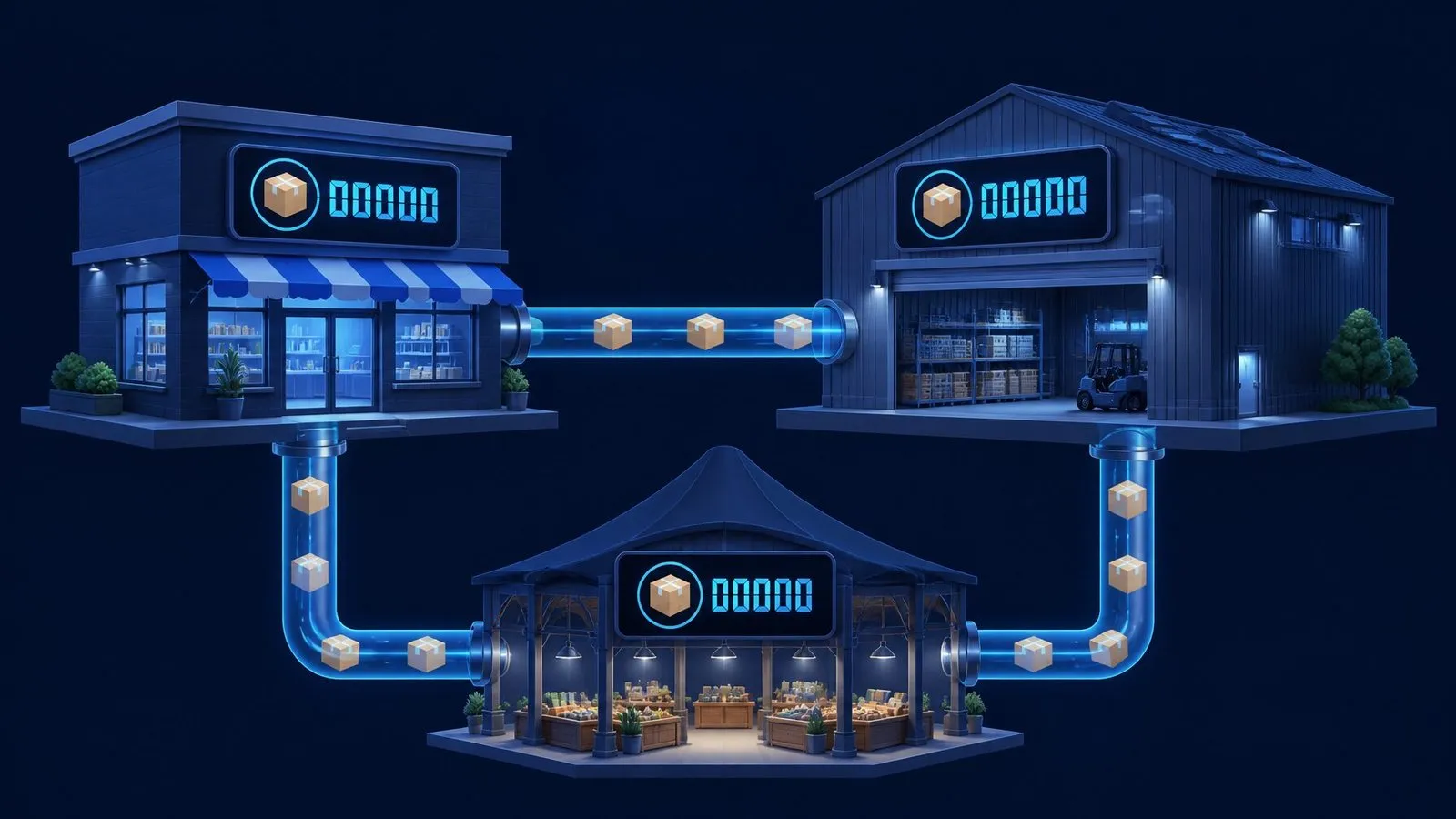
Ecommerce8 min read
Inventory Sync: Keeping Store, 3PL and Marketplace In Agreement
Oversells happen when three systems each believe they own the stock number. The one-owner architecture, webhook + reconciliation sync patterns, buffer math against overselling, and the habits that survive Black Friday.
Read the article →